
Manual · 3. Connecting a radioChaptersClose
Manual · chapter 3
Connecting a radio
The CW jack and the Radio Interface
The CW jack carries two things: the key / PTT line and line out, the audio with the sidetone or the transmit tone. The small black box in the kit, the RF.Guru SmartCW Radio Interface, splits them into two jacks for the radio. Its cable goes from its SmartCW jack to the CW jack on SmartCW.
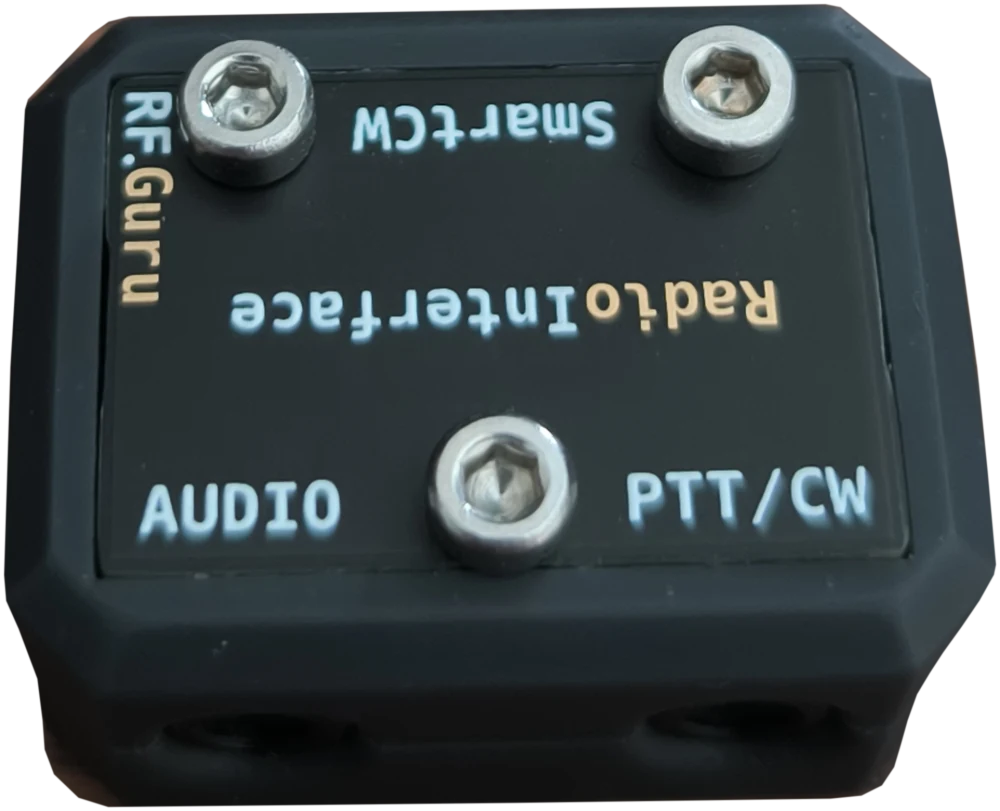
| Jack on the Radio Interface | Carries | Goes to |
|---|---|---|
| PTT/CW | the key / PTT line: the radio's key in Key line mode, its PTT in Audio + PTT mode | the radio's straight-key input, or its PTT |
| AUDIO | line out | the radio's microphone, data or line input; or headphones, for the sidetone |
One jack serves as key or as PTT: which one depends on the output mode below. With a plain CW radio only PTT/CW is needed.
Three output modes
Settings → Transmit output, or !output key|audio|off.
| Mode | The CW jack | Line out |
|---|---|---|
Key line (key, default) |
keys the radio like a straight key: the radio does the CW | the sidetone |
Audio + PTT (audio) |
is PTT: on pttLead ms before the first tone, off pttTail ms after the last |
the CW tone that goes on the air, plus the sidetone when lineSidetone is on |
Practice (off) |
stays idle, nothing is transmitted | the sidetone |
Key line is the normal way for a CW radio: set the radio for a straight key (not for a paddle, or its own keyer would try to key the keyer), connect PTT/CW to its key input, done. The radio makes its own sidetone, so you may want SmartCW's buzzer off.
Audio + PTT is for an FM or SSB radio, a data interface or any transmitter that has no key input: SmartCW raises PTT, waits pttLead (default 50 ms), sends the CW as an audio tone on line out at tone Hz, and drops PTT pttTail (default 400 ms) after the last element so a string of letters does not pump the relay. Set the line out level (lineLevel, 1 to 10) for the radio's input, and the pitch (tone) to where the radio's filter wants it. Turn lineSidetone on if you also want to hear what you key on line out; it is off by default so that nothing but the TX tone goes to the radio.
Practice is for training with a radio attached. The trainer pages hold it by themselves while they are open (see chapter 5).
Sidetone
The piezo in the box and line out both carry the sidetone, each with its own level (volume and lineLevel, 1 to 10) and the same pitch (tone, 300 to 2000 Hz). buzzer: off silences the piezo. The browser can play it as well, see chapter 4.
Line out is a clean sine, and its level is a real volume: 4 dB a step, 36 dB between 1 and 10. Level 10 drives a radio's input; headphones on the AUDIO jack want 3 to 6, so turn it down before you put them on. The piezo's level changes less, as a piezo wants a square wave to be loud at all.
QSK timing
Two settings touch only what goes on the air, as the WinKeyer settings of the same name:
- Keying compensation (
keyComp, 0 to 50 ms) adds a fixed time to every transmitted dit and dah and takes it off the space after it, for radios that shorten elements in full break-in. - First extension (
firstExt, 0 to 150 ms) lengthens the first dit or dah after a pause, for radios that clip it while they switch to transmit.